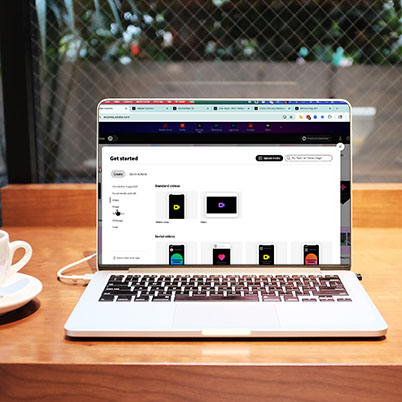
If you’ve ever stared at a blank screen trying to start a project, poster, presentation, video, or social post, you’re not alone. That “where do I even begin?” moment is real.
The good news? Adobe Express is built to solve exactly that problem.
Whether you’re creating content for a class, promoting a student organization, or building your personal brand, Adobe Express helps you move from idea to polished project … fast.
What is Adobe Express?
Adobe Express is an all-in-one design tool that allows you to create:
- Graphics and social media posts
- Presentations
- Short-form videos
- Flyers and posters
- Webpages and digital stories
You don’t need advanced design experience to get started. Instead of building everything from scratch, you can use professionally designed templates and customize them to fit your project.
Why students use Adobe Express
Adobe Express is especially useful in a college setting because it prioritizes speed, simplicity, and flexibility.
Here’s what makes it stand out:
- Templates That Actually Help You Start
Instead of guessing layout, fonts, and spacing, start with a template and adjust it. This is a huge time-saver, especially when you’re balancing multiple assignments. - Quick Actions for Everyday Tasks
Need to remove a background? Resize for social media? Trim a video clip?
Adobe Express includes one-click tools that handle these tasks instantly. - Built-In Brand Kits
For student orgs, class projects, or portfolios, you can keep colors and fonts consistent across everything you create. - Works Across Devices
Start on your laptop, edit on your phone, and present in class; everything saves automatically in the cloud.
What can you create?
One of the biggest advantages of Adobe Express is how many different types of projects it supports.
You can use it for:
- Class presentations that go beyond basic slides
- Event posters and flyers for campus organizations
- Social media content for campaigns or student groups
- Short-form videos for storytelling or assignments
- Webpages for portfolios, projects, or recaps
If you’re in digital marketing, PR, advertising, or journalism, this flexibility is especially valuable.
Features you’ll actually use
When students start using Adobe Express, a few tools quickly become go-to features:
- Text effects and animation – Make headlines more engaging with simple animation and styling tools.
- AI-powered tools – Generate images or text directly inside your project to speed up brainstorming and production.
- Drag-and-drop video editing – Combine clips, photos, text, and music into a polished video—no advanced editing experience required.
- Collaboration – Work with classmates on shared projects, making group assignments easier to manage.
Get started
Getting started is easy and free … check out the quick how to on claiming your free express premium
In just a few minutes, you’ll be amazed at how quickly you can turn an idea into a polished final project.
Adobe Express is one of the easiest ways to create polished, professional content—especially when you’re working on a deadline.
Instead of spending hours figuring out layout or tools, you can focus on what actually matters: your message, your ideas, and your creativity.
If you haven’t tried it yet, this is a great place to start.
00:09 What is Adobe Express?
00:56 Why students love it
01:31 What you can make
02:04 Standout features to try
02:55 How to get started