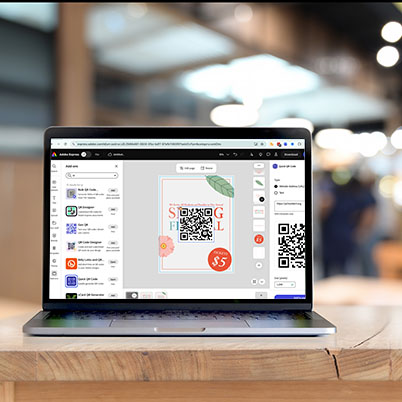
If you’re using Adobe Express for social graphics, videos, or quick projects, there’s a feature that can instantly upgrade your workflow: add-ons.
Adobe Express add-ons connect you to other tools and unlock new capabilities without needing to leave your project. Whether you’re pulling in files, creating voiceovers, or building mockups, add-ons help you work faster and smarter.
What are add-ons?
Add-ons are built-in integrations that extend what Adobe Express can do. Instead of jumping between apps, you can bring tools directly into your workspace.
With add-ons, you can:
- Access files from cloud storage
- Add audio or voiceovers to videos
- Generate QR codes for print or digital designs
- Create realistic mockups of your work
- Optimize content for social platforms
Where to find add-ons in Adobe Express
You don’t need to go searching far – add-ons are already built into your workflow. Look for them in:
- Share – publishing and exporting tools
- Elements – creative tools and assets
- Media – importing files and content
- Your Stuff – connected files and integrations
If you’re building a project, this means everything you need is just a panel away.
Trending add-ons to try
Here are a few add-ons worth exploring right now:
- Google Drive / Dropbox / OneDrive
Easily pull in assets for class projects or group work - QR Designer
Perfect for posters, campaigns, or portfolio pieces - Voice Over
Add narration to videos for presentations or storytelling - Artboard Mockups
Turn your designs into polished, real-world visuals - TikTok Symphony Assistant
Helpful for creating and optimizing social media content
Why this matters for your projects
Add-ons aren’t just “extra tools”—they’re workflow upgrades.
For students in journalism, marketing, advertising, and creative media, this means:
- Faster project turnaround
- More professional-looking work
- Better integration across tools you already use
- Skills that translate directly to internships and jobs
Even adding something simple (like a mockup or voiceover) can elevate your project.
Adobe Express is designed to make creating easier but add-ons make it smarter. If you want to stand out in your classes (and your portfolio), this is one of the simplest ways to level up your work.
00:35 Accessing Express add-ons
01:00 Adding and using an add-on
01:36 Add-on example – design for email
02:03 Add-on example – add stickers 02:18 Popular add-ons