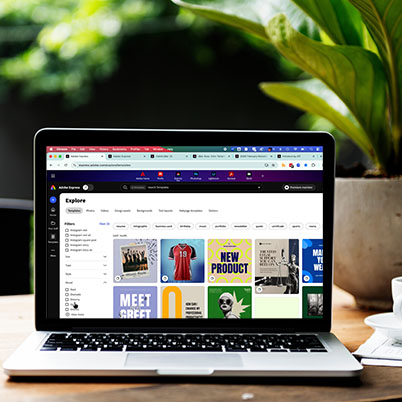
Need a quick starting point for a design project? Whether you’re building social media content, presentations, or marketing materials, Adobe Express templates are one of the easiest ways to jumpstart your creativity.
Adobe Express offers hundreds of thousands of professionally designed templates that you can use for everything from Instagram posts and videos to flyers, carousels, and presentations. These templates are designed to help you move faster—without sacrificing quality.
Where to find templates in Adobe Express
Getting started is simple. On the Adobe Express homepage, select Templates from the left panel. From there, you can:
- Browse categories like social posts, presentations, webpages, and documents
- Use filters to narrow down styles, formats, or themes
- Preview and select a template that fits your project
One of the most powerful features is that Adobe Express templates are also accessible directly within Adobe Creative Cloud apps like Photoshop, Illustrator, InDesign, Premiere Pro, and After Effects—making it easy to integrate templates into your existing workflow.
What you can create
With Adobe Express templates, you can quickly build:
- Social media graphics and carousels
- Short-form videos and reels
- Flyers and promotional materials
- Presentations and webpages
These templates are designed with strong layout, typography, and visual hierarchy—giving you a solid design foundation from the start.
Pro Tip: don’t just use the template – transform it
The best designers don’t just use templates—they customize them strategically.
To make your work stand out:
- Add your own brand colors, fonts, and imagery
- Adjust layouts to better fit your content
- Swap out stock elements for original visuals
- Keep consistency across multiple designs
Templates should be a starting point, not the final product.
Adobe Express templates make it easier than ever to create polished, professional designs—especially when you’re short on time or need inspiration.
Start with a template, customize it with intention, and turn it into something uniquely yours.
00:10 Why templates are a great starting point
00:42 Sort and filter templates
01:13 View templates in apps
01:59 Customizing templates